

 Crypto.
 About
About
 Passport
 Conference call
 Termeni
 Confidențialitate
 Sierra market
Revisit the Blocky World: A Journey into Eaglercraft
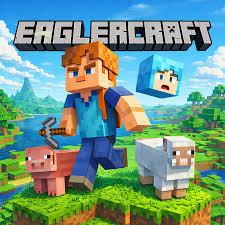
For many gamers, the sandbox genre represents the ultimate form of digital freedom. The ability to mine, build, and survive in an infinite world of blocks is a formula that never truly gets old. However, accessibility can sometimes be a barrier, especially if you are using a device with restricted software permissions or if you simply want a quick session without a lengthy installation process. This is where Eaglercraft comes into play, offering a unique way to experience a classic gameplay loop directly through your browser.
What is Eaglercraft?
At its core, Eaglercraft is a web-based version of the beloved block-building survival game. It utilizes modern web technologies to port the 1.5.2 and 1.8.8 versions of the game into a format that runs on almost any browser. The beauty of this project lies in its simplicity: there are no launchers to download and no heavy files to store on your hard drive. Whether you are on a Chromebook at school or a desktop at home, you can jump into a world of pixels within seconds.
Gameplay and Features
The experience of playing Eaglercraft is remarkably faithful to the original source material. Once you load the page, you are greeted with the familiar main menu. You can choose between Singleplayer mode—where you can start a new world, gather resources, and build a fortress—or Multiplayer mode.
The multiplayer aspect is surprisingly robust. There are various community-hosted servers ranging from survival realms to creative plots and even mini-games like Bedwars. The controls are standard: WASD to move, Space to jump, and the mouse to look and interact. Because it runs in a browser, the game feels incredibly lightweight, yet it retains all the charm of crafting your first wooden pickaxe or hiding from creepers during your first night.
Tips for a Better Experience
To get the most out of your time in the browser-based world, keep these tips in mind:
- Check Your Settings: Browser games can sometimes struggle with frame rates if your settings are too high. If you experience lag, go into the "Video Settings" and lower your render distance or turn off fancy graphics.
- Save Your Progress: In Singleplayer, your worlds are stored in your browser’s local storage (cookies/cache). If you clear your browser data, you might lose your builds. Always export your world files to your computer if you plan on working on a long-term project.
- Use Fullscreen: Press F11 to enter fullscreen mode. This prevents you from accidentally clicking on browser tabs or the taskbar during an intense fight with a skeleton.
Conclusion
Eaglercraft serves as a wonderful testament to how far web technology has come. It provides an accessible, no-frills gateway to one of the most influential games of the last decade. While it may not have the latest updates found in the modern "Bedrock" or "Java" editions, its portability and ease of use make it a fantastic option for quick gaming sessions. Whether you want to relive the nostalgia of older versions or just need a creative outlet during a break, it is well worth a visit.
Bub
Do?

Categorii
Citeste mai mult
August's Netflix ISP Speed Index reveals notable shifts in streaming performance across various providers. Significant improvements were observed for Flow in Jamaica, which saw a speed increase of 0.74 Mbps to reach 2.37 Mbps. Indosat-Fibre in Indonesia and BSNL in India also posted commendable gains, achieving averages of 4.14 Mbps and 2.00 Mbps, respectively. Conversely, Kbro in Taiwan and...

Accessing the complete selection of Netflix shows and movies often depends on your geographical location, as licensing agreements restrict content availability. To bypass these restrictions, many users turn to virtual private networks (VPNs), which mask your real IP address and make it appear as though you're browsing from a different country. However, not all VPNs work seamlessly with...
Google has issued an urgent security patch addressing the seventh Chrome zero-day vulnerability that has been actively exploited during attacks throughout the current year. In a security bulletin released on Monday, the technology company confirmed awareness of active exploitation, stating: "Google is aware that an exploit for CVE-2025-13223 exists in the wild." The vulnerability, classified...
In a recent interview, Matthew Lillard revealed his limited role in the newly released "Five Nights at Freddy's 2," where he reprises his character William Afton. Despite being the main antagonist in the original film, where his character met a gruesome fate inside the Spring Bonnie suit, Lillard confirmed fans shouldn't expect much screen time from him in the sequel. "Unfortunately for me, I...
Mmogah is an established online marketplace connecting verified sellers with millions of gamers seeking game currency, accounts or services boosting. They provide real time delivery tracking, secure payments and 24/7 customer service - plus money back guarantees. Smart shoppers maximize their savings by subscribing to their email newsletter, following them on social media and joining...