


 Crypto.
 About
About
 Passport
 Conference call
 send money
 Terms
Terms
 Privacy
 Sierra market
How to Sign Documents Online Without the Usual Hassle
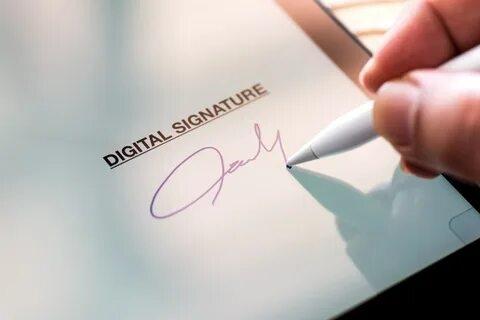
Most people do not think about signing paperwork until they are stuck in the middle of it. A landlord needs a lease back within the hour. A client is waiting on a signed contract before a project can begin. A new employee has to return onboarding forms before their first day. In moments like these, printing a page, signing it by hand, scanning it, and emailing it back feels like a step from another decade.
That is exactly why so many people now search for ways to sign documents online. It saves time, removes unnecessary steps, and lets you complete important paperwork from a phone, tablet, or laptop wherever you happen to be. At DocArrow, we built our platform around this exact need, helping individuals, freelancers, and businesses handle their signing process without stress or confusion.
This blog walks through the real problems people face with paper based signing, how signing documents online solves them, and what to look for so the process stays smooth, secure, and legally sound.
Why People Are Moving Away From Paper Signatures
Traditional signing methods create small but constant friction. You need a printer, a scanner, and enough patience to deal with both. If a signature is missing a date or placed in the wrong spot, the entire form often has to be redone. And once it is signed, tracking who has the document and what stage it is at becomes a guessing game involving phone calls and follow up emails.
Signing documents online removes almost every one of these obstacles. Instead of relying on physical equipment, everything happens through a secure browser or app. Fields are marked clearly, signatures are placed exactly where they need to be, and the finished file is instantly available to everyone involved. For anyone who values their time, this shift is not just convenient, it is practical.
Sign PDF Online Without Downloading Any Software
One of the biggest frustrations people run into is being asked to download a separate program just to open or sign a PDF. It feels unnecessary, especially when you only need to sign one page.
With DocArrow, you can sign a PDF online without downloading anything extra. You simply upload the file through your browser, add your signature, initials, or any required details, and send it back. There is no waiting for installation, no compatibility issues between devices, and no confusion about which version of software you are supposed to be using.
This matters even more for people working on mobile devices. A parent signing a school form during a lunch break or a contractor approving an estimate from a job site should not need a laptop just to complete a simple task. Browser based signing keeps things accessible no matter where you are.
Sign Word Document Online Without Converting File Types
Not every document arrives as a PDF. Many contracts, agreements, and internal forms are still shared as Word files, and converting them back and forth can introduce formatting errors or lost information.
DocArrow allows users to sign a Word document online directly, without needing to convert it first. This keeps the original formatting intact and avoids the small but annoying issues that come from switching between file types. Whether it is a simple agreement or a longer formal document, the process stays consistent and the final file looks exactly the way it should.
For businesses that rely heavily on Word templates, this feature alone can save hours each month that would otherwise go toward manual conversions and re checking formatting after the fact.
Send Documents To Multiple Signers Without the Back and Forth
Some agreements only need one signature. Others need approval from several people before anything moves forward. Think of a rental agreement with two tenants, a vendor contract requiring sign off from different departments, or a partnership agreement involving multiple stakeholders.
Handling this manually usually means emailing one person, waiting for them to sign and forward it, then repeating that same process with the next person. It is slow, and there is always a risk that someone forgets to pass it along.
DocArrow lets you send a document to multiple signers online at the same time or in a specific order, depending on what the agreement requires. Each person receives their own secure link, signs their portion, and the completed document is automatically compiled once everyone has finished. There is no need to manage separate email threads or chase people down individually.
This is especially useful for businesses managing recurring paperwork, such as HR teams onboarding new staff or legal teams finalizing vendor agreements. It keeps the process organized and reduces the chance of delays caused by miscommunication.
Track Document Signing Status In Real Time
Perhaps the most common question people ask during any signing process is simple: has it been signed yet? Without a proper system, the only way to find out is by asking directly, which often leads to unnecessary back and forth.
DocArrow solves this by letting users track document signing status in real time. You can see exactly who has opened the document, who has signed it, and who still needs to complete their part. This visibility removes the guesswork and allows you to follow up only when it is actually needed, rather than sending repeated reminders just in case.
For businesses handling multiple contracts at once, this kind of tracking becomes essential. It turns a process that used to rely on memory and manual notes into something clear, organized, and easy to manage from a single dashboard.
Is It Safe To Sign Documents Online?
Security is often the first concern people raise when moving away from paper. It makes sense. Signatures represent agreement, responsibility, and sometimes significant financial or legal commitments.
Platforms like DocArrow are built with this concern in mind. Every document is encrypted during transfer and storage, and each signing action is recorded with a timestamp, along with identifying details tied to the signer. This creates a clear audit trail that shows exactly what happened and when.
In most regions, including the United States and many parts of Europe, electronic signatures carry the same legal weight as handwritten ones, as long as certain conditions are met, such as consent to sign electronically and a verifiable signing process. This means that when you sign documents online through a trusted platform, the result is not just convenient, it is also legally recognized.
Who Benefits Most From Online Document Signing?
While almost anyone can benefit from this shift, a few groups see especially noticeable improvements in their day to day work.
Small business owners save time that would otherwise go toward printing, scanning, and mailing paperwork. Freelancers can send and receive signed contracts within minutes instead of days, which often means getting paid faster. Real estate agents can move leases and offers forward without waiting on physical signatures from buyers, sellers, or tenants. HR departments can onboard new employees smoothly, even when hiring remotely.
Even individuals handling personal matters, such as signing a rental agreement or a service contract, benefit from a process that does not require printers or scanners they may not even own.
What To Look For In A Document Signing Platform
Not every platform offers the same level of reliability. Before choosing one, it helps to consider a few key factors.
Look for a platform that supports multiple file types, including PDF and Word documents, so you are not limited by format. Check whether it allows sending documents to multiple signers without extra steps or added cost. Make sure it offers real time tracking so you always know where a document stands. And confirm that it follows proper encryption and authentication standards to keep your information protected.
DocArrow was designed around these exact needs, combining simplicity with the kind of security that both individuals and businesses can rely on.
Final Thoughts
Paper based signing was never really about the signature itself. It was about confirming agreement and keeping a clear record of that confirmation. Signing documents online achieves the same goal, only faster, with fewer errors, and without the physical limitations that paper naturally brings.
Whether you need to sign a PDF without downloading software, complete a Word document without formatting issues, send an agreement to several signers, or simply keep track of where things stand, the right platform makes all the difference.
DocArrow brings all of these pieces together in one place, helping you move through paperwork with confidence instead of frustration. The next time an important document lands in your inbox, you will not need a printer or a scanner. You will just need a few clicks to get it signed, sent, and settled.
Bub
Do?

Categories
Read More
The E Wallet Market Research Industry Size is witnessing extraordinary expansion as digital payment technologies rapidly transform global financial ecosystems. Consumers and businesses are increasingly shifting toward mobile-based payment systems that offer secure, convenient, and instant transaction experiences across retail, banking, healthcare, transportation, and e-commerce sectors....

Третий сезон Call of Duty: Mobile преподносит сюрприз. Начиная с 1 апреля, игроки смогут заполучить нового оперативника. Им станет легендарный рэпер Снуп Догг, чей уникальный образ создан специально для мобильной платформы. Его появление будет связано с особым событием-розыгрышем, детали которого откроются позже. Вместе с артистом в игру прибудет и эксклюзивное тематическое оружие. Оно...
Berbagi pulsa Telkomsel atau yang sering disebut transfer pulsa merupakan salah satu fitur yang sangat bermanfaat bagi pengguna kartu Telkomsel, baik prabayar maupun pascabayar. Layanan ini memungkinkan pengguna untuk mengirim sebagian pulsa yang dimilikinya kepada pengguna Telkomsel lainnya sebagai bentuk bantuan atau sekadar berbagi. Fitur ini sangat relevan untuk kondisi tertentu, misalnya...
Star-Studded Cast Revealed for 'The Amazing Maurice — Waters of Life' CGI Sequel The highly anticipated sequel to the successful CGI animated film "The Amazing Maurice" has unveiled its impressive voice cast lineup. Set for a late 2027 release, "The Amazing Maurice — Waters of Life" brings together an ensemble of acclaimed actors for this nautical adventure. Hugh Laurie returns as...
Oscar Nominations Boost Films at International Box Office 'Monsters, Inc.' and 'Ocean's Eleven' Lead Strong Weekend Performances The international box office demonstrated significant strength last weekend, with several films enjoying robust performances. Theater operators anticipated increased attendance for "The Lord of the Rings: The Fellowship of the Ring" following its Academy Award...
