


 Crypto.
 About
About
 Passport
 Conference call
 send money
 Termini e Condizioni
 Privacy
 Sierra market
Ledger Live: Features, Setup, Security, and Troubleshooting Guide
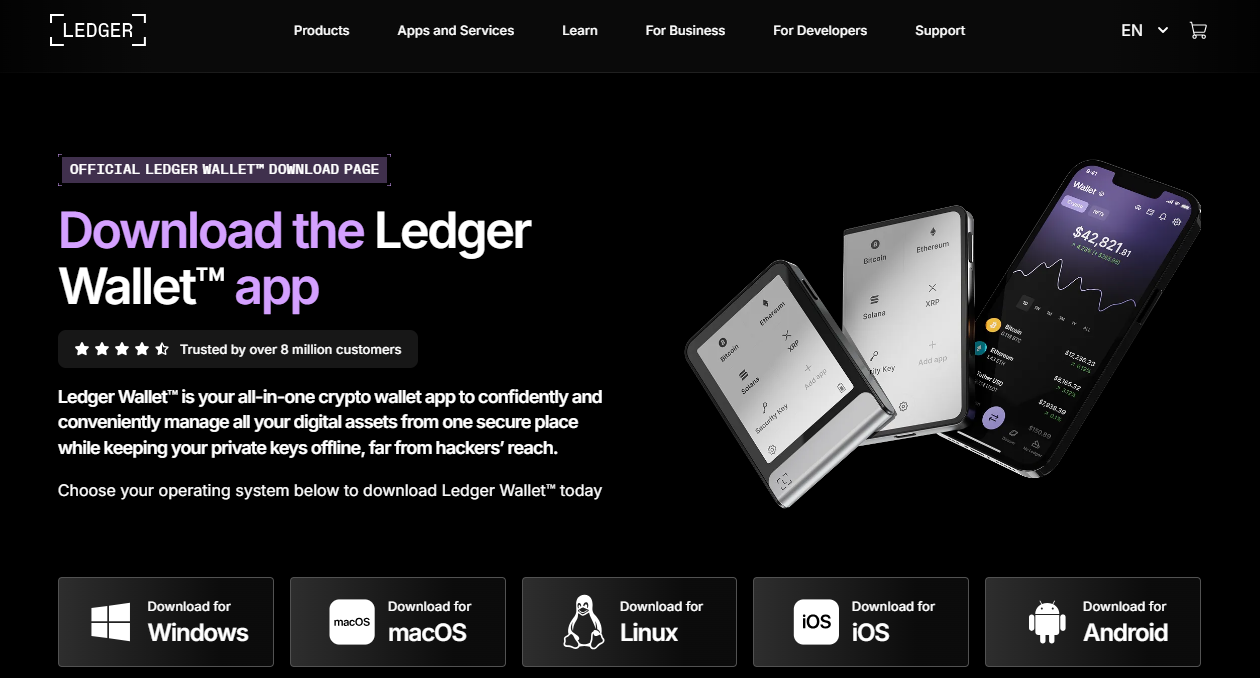
The Ledger Live is a crypto management application designed to work with Ledger hardware wallets for viewing portfolios, managing supported assets, sending and receiving crypto, and accessing services such as buying, swapping, and staking. Ledger has since rebranded the application as Ledger Wallet, formerly Ledger Live.
Quick Summary
|
Feature |
Details |
|
Product name |
Ledger Wallet, formerly Ledger Live |
|
Primary role |
Interface for Ledger hardware wallets |
|
Platforms |
Windows, macOS, Linux, iOS, Android |
|
Asset support |
15,000+ coins and tokens claimed by Ledger |
|
Core functions |
Portfolio tracking, sending, receiving, buying, swapping, staking |
|
Hardware security |
Private keys remain on the Ledger signer |
|
Recovery |
24-word Secret Recovery Phrase |
|
Best suited for |
Users seeking hardware-based self-custody |
Ledger's current product pages describe Ledger Wallet as the evolution of Ledger Live, with functionality extending beyond portfolio tracking into transactions, DeFi, swaps, staking, and other services.
What Is Ledger Live?
Ledger Live was Ledger's companion application for its hardware wallets. It provided a software interface for checking balances, installing applications, adding accounts, and managing cryptocurrency transactions.
The product has now evolved into Ledger Wallet. Ledger describes the current application as the successor to Ledger Live, while its security model continues to rely on the Ledger hardware signer to protect private keys and approve transactions.
This distinction matters when searching for downloads, guides, or support documentation: older articles may use the term Ledger Live, while newer Ledger documentation may use Ledger Wallet.
Ledger Live Features
Portfolio Management
Ledger Wallet allows users to monitor cryptocurrency balances and account activity from a central interface. Ledger currently advertises support for more than 15,000 coins and tokens, including assets such as Bitcoin, Ethereum, USDT, Solana, and TRON.
Send and Receive Crypto
Users can use the application to prepare cryptocurrency transfers while the connected Ledger hardware device provides the signing layer. Ledger states that transactions are signed offline inside the device's Secure Element and require physical approval.
Buy and Sell
The application integrates third-party service providers for buying and selling cryptocurrency. Available providers and payment methods can vary by asset and region, so users should review the specific transaction details before proceeding.
Swap Assets
Ledger Wallet supports cryptocurrency swaps through integrated services. The application can display available providers and transaction information, while execution remains subject to the relevant third-party service terms and network conditions.
Staking and Earn Services
Supported assets can be used with staking or other earning services through providers integrated into the application. Availability, fees, rewards, and eligibility vary by asset and provider; rewards are not guaranteed.
Web3 and DeFi Access
The Discover section provides access to selected applications and Web3 services. Ledger's developer documentation explains that these integrated applications can interact with Ledger devices and use transaction-signing protections.
How to Set Up Ledger Live
- Download the application from Ledger's official website. Ledger provides desktop downloads for Windows, macOS, and Linux and mobile versions for iOS and Android.
- Connect your Ledger device to the compatible computer or mobile device.
- Initialize or restore the device according to the instructions displayed on the Ledger device.
- Create a PIN on the hardware device.
- Record the Secret Recovery Phrase exactly as displayed on the device.
- Install the required blockchain applications through the management interface.
- Add the appropriate cryptocurrency accounts.
- Verify transaction information on the Ledger device before approving a transaction.
Ledger's security guidance emphasizes that the Secret Recovery Phrase should remain offline and should never be entered into a computer or smartphone.
CTA: For the safest installation process, use Ledger's official download and support resources rather than links received through unsolicited messages or advertisements.
Ledger Live vs. Ledger Wallet
|
Aspect |
Ledger Live |
Ledger Wallet |
|
Status |
Former product name |
Current product name |
|
Main purpose |
Ledger hardware-wallet companion |
Expanded self-custody application |
|
Portfolio tracking |
Yes |
Yes |
|
Send and receive |
Yes |
Yes |
|
Buy/swap services |
Yes |
Yes |
|
Staking |
Supported services |
Supported services |
|
Web3/DeFi |
Supported |
Expanded ecosystem |
|
Hardware integration |
Ledger devices |
Ledger devices |
Ledger says Ledger Wallet is formerly Ledger Live and describes the rename as reflecting the application's expansion beyond its original portfolio-tracking role.
Is Ledger Live a Hardware Wallet?
No. Ledger Live was software, while the Ledger hardware wallet or signer is the physical device used to protect private keys and approve transactions.
A useful way to understand the architecture is:
Ledger Wallet = interface and connectivity layer
Ledger hardware signer = transaction-signing and private-key security layer
Ledger explains that private keys remain on the hardware signer rather than being exposed to the connected computer or phone.
Ledger Live Security: What Users Must Protect
The most important security element is the Secret Recovery Phrase. Ledger states that this phrase acts as the backup for the private keys associated with a wallet. Anyone who obtains it can potentially restore the wallet elsewhere.
Follow these rules:
- Never share your Secret Recovery Phrase.
- Never type it into a website.
- Never save it as a phone photo or computer file.
- Never send it through email or messaging apps.
- Keep the physical backup in a secure location.
- Verify important transaction details directly on the Ledger device.
Ledger specifically warns users not to enter their recovery phrase on internet-connected devices.
Common Ledger Live Errors and Recovery Steps
Application Does Not Detect the Ledger Device
- Confirm that the Ledger device is powered on and unlocked.
- Check the USB connection or supported wireless connection.
- Close competing cryptocurrency applications.
- Update the Ledger application when an update is available.
- Restart both the application and hardware device.
- Check Ledger's current compatibility and support documentation.
Avoid entering your recovery phrase into a computer to solve a connection problem.
Transaction Is Pending
A pending cryptocurrency transaction is generally associated with blockchain confirmation or network conditions rather than simply the application interface.
Check:
- The transaction status in the application.
- The relevant blockchain explorer.
- Whether the network is congested.
- Whether the transaction has received confirmations.
- Whether the recipient address and network were correct.
Do not repeatedly submit transactions simply because a previous transaction has not confirmed.
Balance Is Not Updating
If a balance appears incorrect or outdated:
- Confirm that the correct account is selected.
- Check the relevant blockchain explorer.
- Refresh or reopen the application.
- Confirm that the network and asset are supported.
- Check whether Ledger has reported a temporary service or synchronization issue.
A displayed balance and a blockchain's actual recorded state should be distinguished when troubleshooting.
Suspicious Message or Support Request
Treat unexpected requests for your PIN, recovery phrase, or wallet credentials as a security warning. Ledger's published security guidance states that support will not ask users for their recovery phrase.
Do not provide the requested information. Instead, navigate independently to Ledger's official support resources.
Ledger Live Fees and Costs
Ledger Live itself should not be treated as having one universal transaction fee. Costs can come from several different sources:
|
Cost type |
What determines it |
|
Blockchain network fee |
Network conditions and transaction type |
|
Swap fee |
Integrated swap provider and transaction |
|
Buy/sell fee |
Third-party provider |
|
Staking-related costs |
Asset and service provider |
|
Hardware cost |
Ledger device purchased |
|
Application access |
Depends on the particular service |
Third-party transaction services integrated into Ledger's ecosystem can have their own fees, rates, terms, and availability. Ledger explicitly notes that crypto transaction services are provided by third parties.
How Ledger Live Works With a Ledger Hardware Wallet
The application does not replace the hardware security model.
A typical transaction flow is:
Open account → prepare transaction → connect/unlock Ledger device → review transaction details → approve on the device → transaction is signed → broadcast to the blockchain
Ledger states that transaction signing occurs inside the hardware device and that the private keys do not leave the signer.
This separation is central to understanding the product. The computer or smartphone provides the user interface, while the hardware device provides the protected signing environment.
Ledger Live and the Secret Recovery Phrase
A Secret Recovery Phrase is not the same thing as a normal application password. It is a backup for wallet access and must therefore be treated as highly sensitive.
Ledger's current educational material says its devices generate a 24-word recovery phrase and emphasizes that the phrase should never be entered into a computer or smartphone.
If a person loses access to a device but still has the correctly recorded recovery phrase, the wallet can generally be restored to a compatible device. Losing both the device and the recovery phrase can create serious access problems.
Is Ledger Live Suitable for Beginners?
Ledger Wallet can be used by beginners, but hardware-wallet self-custody introduces responsibilities that do not exist with a conventional custodial exchange account.
A beginner should understand at least four concepts before transferring significant funds:
- Private keys
- Secret Recovery Phrase
- Blockchain network selection
- Transaction verification
Ledger also provides a Watch Mode that allows users to explore parts of the application before connecting a hardware signer.
FAQ
What is Ledger Live?
Ledger Live is the former name of Ledger's companion cryptocurrency application, now called Ledger Wallet. It connects users to Ledger hardware devices and provides portfolio management, transaction, buying, swapping, staking, and Web3 functionality. The hardware device remains responsible for protecting private keys and approving transactions.
Is Ledger Live still available?
The product has evolved from Ledger Live into Ledger Wallet. Ledger's current documentation describes Ledger Wallet as the successor to Ledger Live, so users may encounter both names when reading older guides or newer product documentation. The underlying Ledger hardware-wallet ecosystem continues to be supported.
How do I download Ledger Live?
Users looking for Ledger Live should use Ledger's current official download page, where the application is presented under its newer Ledger Wallet branding. Ledger provides versions for Windows, macOS, Linux, iOS, and Android. Avoid downloading wallet software from unofficial websites or unsolicited links.
Why is Ledger Live not detecting my device?
Check that the Ledger device is unlocked, properly connected, and supported by the installed application. Restarting the application, checking the connection, updating software, and closing competing wallet applications can resolve common connection problems. Never enter your Secret Recovery Phrase into a computer to fix device detection.
Is Ledger Live safe to use?
Ledger's software is designed to work with Ledger hardware signers, where private keys are kept offline and transactions require hardware approval. Security still depends on user behavior: keep the Secret Recovery Phrase offline, verify transactions on the device, and avoid unofficial software or support requests.
What should I do if Ledger Live asks for my recovery phrase?
Do not provide the phrase through a website, message, computer, or phone. Ledger's security guidance says the Secret Recovery Phrase should remain offline and that support will not ask users for it. If a suspicious request appears, stop the interaction and access Ledger's official support resources independently.
Can I use Ledger Live without a Ledger device?
Some current Ledger Wallet functionality can be explored without immediately connecting a signer, including Watch Mode. However, hardware-based self-custody and transaction signing require a compatible Ledger hardware device. The application and hardware signer serve different roles within Ledger's security architecture.
Bub
Do?

Categorie
Leggi tutto
We are thrilled to announce that the legendary Hans Zimmer, along with the acclaimed Bleeding Fingers music team, will craft an enchanting new soundtrack for the upcoming HBO Harry Potter series. Zimmer, a master composer renowned for his Oscar-winning scores for films like Gladiator and Dune, is set to infuse the magical realm with his extraordinary musical talent. His involvement promises to...

" Exactitude Consultancy That Adds Flavour To Your Success" Pulp and Paper Enzyme Market report. Use of xylanase and cellulase for bleaching, deinking, and eco-friendly paper production. The global Pulp and Paper Enzyme Market is projected to reach USD 0.28 Billion in 2026 and USD 0.45 Billion by 2033, growing at a 7.0% CAGR. If you're looking for insights into the Pulp and Paper...
Over two years ago, Facebook launched a tracking initiative called Beacon, designed to monitor users' online activities and share that data with advertising partners without explicit user consent. This covert approach to behavioral advertising faced immediate backlash, leading to a class-action lawsuit against the company once it removed most of Beacon from its platform. Last September,...
Minimalist fashion is about creating outfits that look clean, balanced, and intentional without depending on excessive details. Comme des Garcons can be a strong choice for this style because its collections often combine familiar clothing with distinctive shapes, subtle branding, and creative construction. A minimalist wardrobe does not mean wearing only plain clothes or limiting yourself...

At DAPSD, we're dedicated to sharing innovative solutions for enhancing the beauty of your hair, with a focus on entertainment and self-improvement. As enthusiasts and aficionados of all things hair care, we're constantly driven to explore and learn more about the intricate world of hair growth, hair care, and personal grooming. Today, we'll delve into the realm of expert hair care tips that...
