


 Crypto.
 About
About
 Passport
 Conference call
 send money
 Terms
Terms
 Privacy
 Sierra market
Starlink Rental Kit What Should Be Inside the Box Before You Pay?
When you book a Starlink rental kit, you are trusting that everything you need will be in the box when it arrives. Most of the time it is. But a missing cable or a cracked case is the sort of problem you want to find on your kitchen table, not at a campsite two hours from the nearest store. This guide explains what a complete kit should contain, how to inspect it the day it arrives, and which questions to ask before you pay.
What a Starlink rental kit is
A rental kit is the full set of equipment you need to get online with Starlink for a limited time. The dish outdoors connects to satellites in low orbit, and a router turns that signal into Wi-Fi for your phone, laptop and TV. Because the satellites are fairly close to Earth, the delay is short enough for video calls and streaming.
When you rent, the provider owns the equipment. You use it for the days you need and then return it. Some providers also manage the account, so you don't need to sign up for Starlink yourself.
What should be inside the box
A complete kit usually has these items:
- The Starlink dish, which receives the signal
- A Wi-Fi router, so several devices can connect
- Power cables and connection cables
- A stand or base for the dish
- A case that protects everything in transit
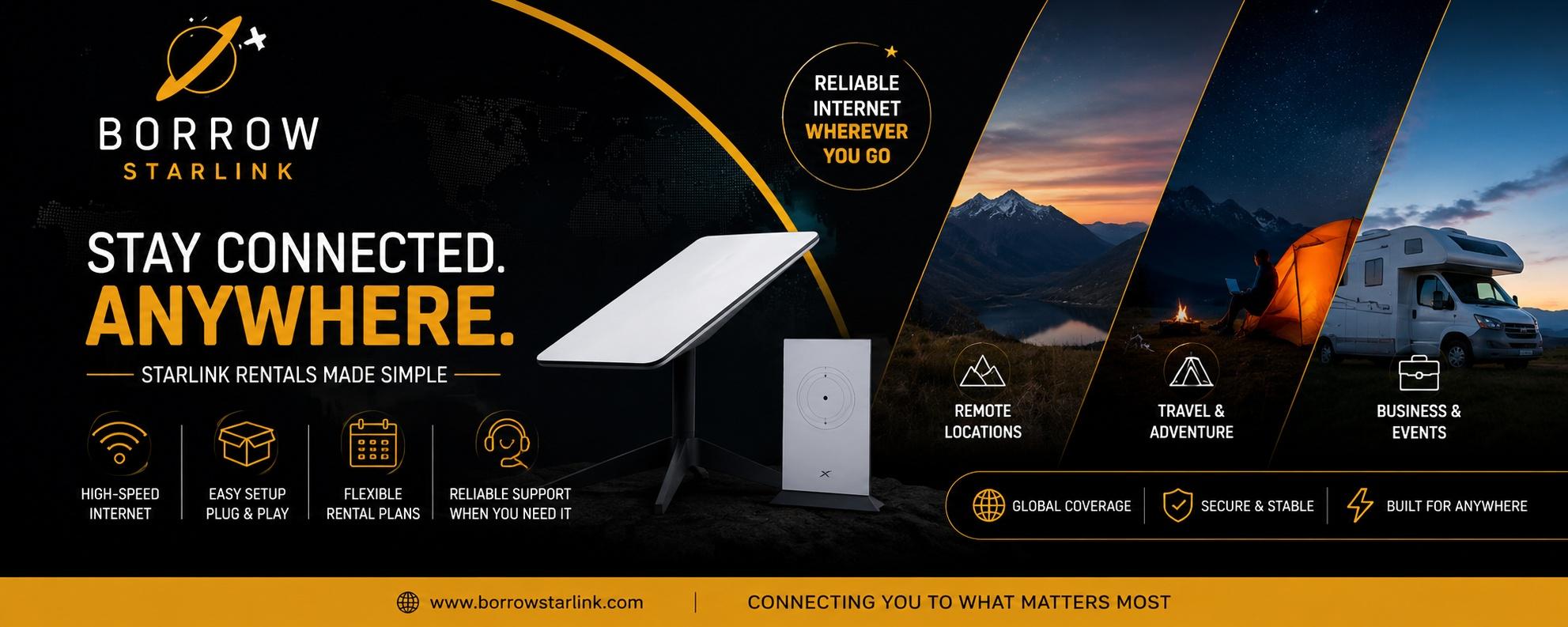
Borrow Starlink, for example, lists the dish, a Wi-Fi router, a custom hard case and unlimited data with every rental, and it handles the account and equipment setup. Whichever provider you choose, ask for the exact list in writing. If one listing names every item and another stays vague, that tells you something.
Why the case matters more than you think
It is easy to treat the case as a bonus, but it protects the part you can least afford to damage. Kits get tossed into cars, vans and RVs, and a dish rattling around loose can scratch or crack. A sturdy case also keeps the cables tidy, so nothing goes missing between trips. If there is a deposit, protecting the equipment protects your money too.
How to inspect the kit when it arrives
Do this on the day the kit arrives, not the night before you leave.
- Compare the contents with the list you were given. Count the cables and check each one.
- Look over the dish and router for cracks, loose parts or heavy scratches.
- Take photos of everything, including the case, before you plug anything in. These can protect you if there is ever a dispute about damage.
- Plug it in outdoors with a wide view of the sky and wait a few minutes while the dish finds its position.
- Connect a phone or laptop to the Wi-Fi and run a short video call or stream.
If anything is missing or not working, tell the provider right away. Reporting a problem early gives them time to fix or replace it.
What you still need to bring
Even a complete kit depends on a few things from you.
Power. The dish uses about 60 watts. A standard 110v outlet works, and so do a generator, an RV battery system or a small 100W solar panel. Bring a long extension cord and a power strip.
The app. Install the Starlink app while you still have signal. It helps you find a good spot for the dish and fix problems, and it is hard to download once you are offline.
Something to steady the stand. On windy days, weigh it down so the dish doesn't tip over.
Setting it up
Setup takes only a few minutes:
- Find a spot with a wide, open view of the sky.
- Place the dish on its stand.
- Connect the cables and plug in the power.
- Wait a few minutes while the dish finds its position.
- Join the Wi-Fi network on your device.
Open sky matters more than anything else. Trees, buildings and cliffs can block the signal and cause dropouts. Stand where you plan to put the dish and look straight up. If you see plenty of sky, you are in good shape. If not, move a few steps and try again.
Questions to ask before you book
Kit contents are only part of the picture. Terms vary between providers, so ask:
- What exactly is in the kit, and is the list written down?
- Is the data truly unlimited, with no slowdown after a cap?
- How much is the deposit, and how is it refunded?
- What counts as damage, and what are the late return fees?
- Which regions are covered? Many kits are designated for North America, including Canada and Mexico.
- How do delivery or pickup and returns work for my dates?
- Who do I contact if something is missing or doesn't work?
Do not assume a provider can serve your area. Ask directly and confirm before you plan around it.
Returning the kit
Returns are where small slips turn into extra charges. Pack everything the way it arrived: dish, router, cables, stand and case. Use your arrival photos as a guide. Know the return deadline, and keep any tracking information until the provider confirms the kit has arrived. If a deposit is involved, ask when and how it will be refunded.
What a kit can and cannot do
Starlink handles video calls, streaming, cloud work and uploads in places where other options fail. It has limits too. Heavy rain or snow can slow it down, a partly blocked view causes interruptions, and speeds vary by location and time of day. Treat advertised numbers as best-case figures. It is also outdoor equipment, so keep it dry and avoid leaving it in a hot car.
[H2] Who benefits from renting a kit
- Campers and road trippers who want internet beyond cell coverage
- Remote workers on a temporary assignment
- Event organizers running outdoor weddings, markets or festivals
- Film and photo crews who need to upload from remote spots
- Homeowners who want a backup during an internet outage
- Anyone who wants to try Starlink before buying
If your phone already has strong signal and you only check messages, a hotspot is cheaper and simpler. If you would use Starlink every day for months, buying may cost less over time.
A quick kit checklist
- Dish, router, cables, stand and case all present
- No cracks or loose parts
- Photos taken before first use
- Test call completed at home
- Starlink app installed
- Power source and extension cord planned
- Return deadline noted
Final thoughts
A Starlink rental kit should arrive complete, clean and ready to plug in. Ask for the contents in writing, inspect everything the day it arrives, test it before you travel and keep your photos until the return is confirmed. A few minutes of care at the start saves a lot of trouble later.
If you would like to see what a straightforward rental includes, Borrow Starlink offers short and long term rentals with the dish, router, hard case and unlimited data included. Contact them, ask about availability for your dates and confirm that your location is covered before you book.
Bub
Do?

Categories
Read More
Mit der Erweiterung „Paradoxansturm“ erhält das Pokémon TCG Pocket ein flexibles Terapagos-ex-Deck, das auf die Vielfalt der Energietypen setzt. Dein Hauptangreifer ist Terapagos-ex – seine Attacke Prisma-Einschlag kostet drei beliebige Energien, richtet 80 Grundschaden an und steigert sich für jeden angelegten unterschiedlichen Energietyp um 20 Punkte. Mit...

Real-world asset markets are moving toward a model where blockchain may play a role in much more than issuing digital tokens. In the early stages of RWA tokenization, much of the discussion focused on converting ownership or economic rights into blockchain-based tokens. By 2027, the discussion could shift toward what happens after those tokens are issued. An RWA token has limited practical...

In a commitment to enhancing the gaming experience, Scopely is expanding opportunities for players to complete their sticker collections and progress in the Star Wars GO album. Alongside the recent surge of golden blitz events in Monopoly GO, a new mini-game called Sticker Drop has been introduced to give players an additional chance to acquire rare stickers. This event will last for three...
The Analytical Challenge of HPL Component Variability Human Platelet Lysate (HPL) is a complex biological supplement containing hundreds of proteins, including essential growth factors (GFs) and cytokines that drive cell growth. Because it is derived from human blood donors, HPL naturally exhibits Component variability between different donor pools. This variability is the greatest obstacle to...
Game Launch and Features Embark on a dual-protagonist fantasy journey in this innovative RPG, where the narrative splits between two central figures. Unlike conventional gacha systems, all core characters and armaments are obtainable through gameplay at no cost. The monetized gacha focuses solely on cosmetic enhancements, making the experience notably accessible to dedicated players. With...
